We’re excited to have you join us in Studio A for Analog Tape Week!
We wanted to check in and talk about the process a little bit, so that folks have some idea of how they want to spend their time in Studio A.
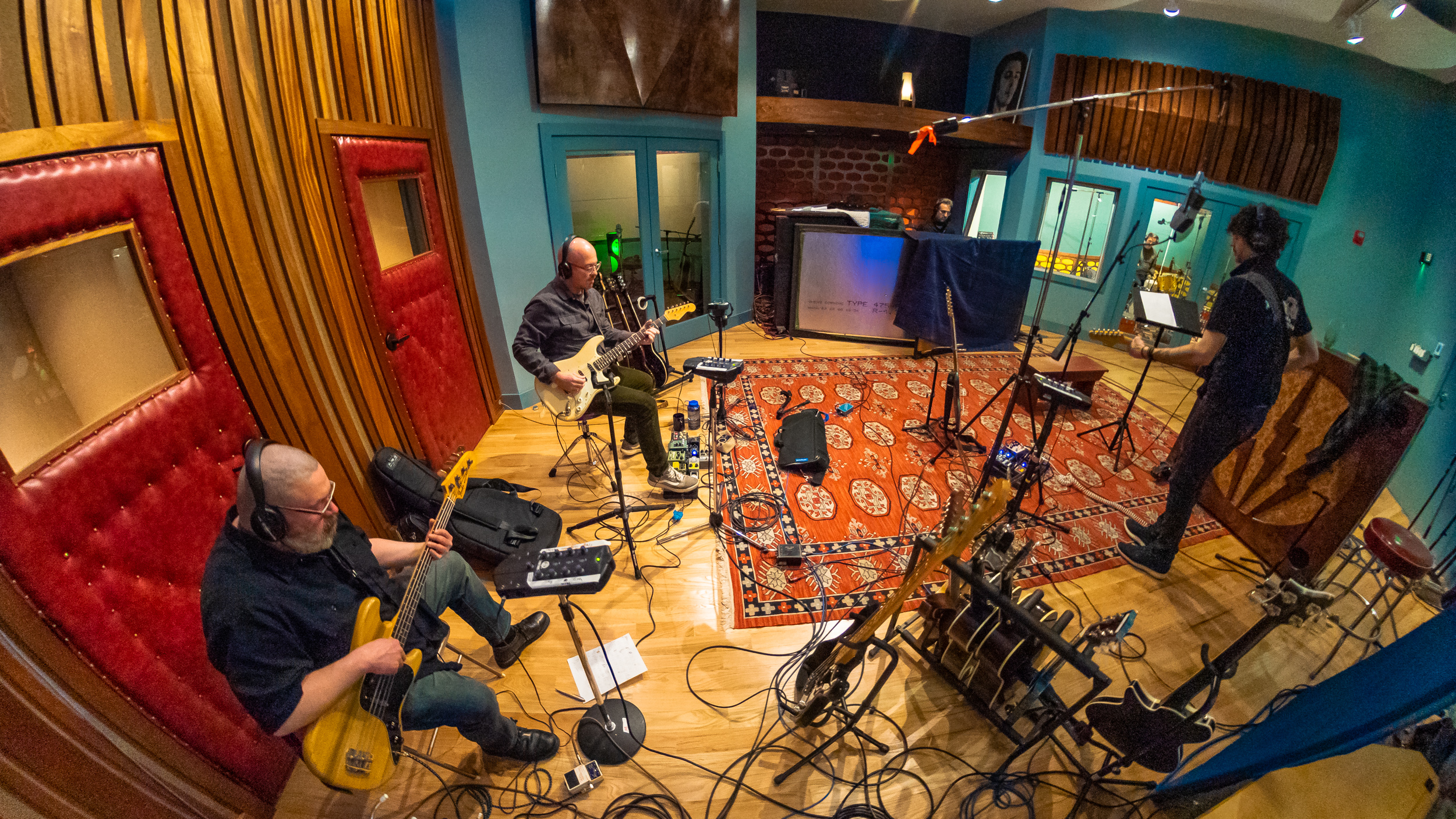
Studio A will be set up more or less like this:
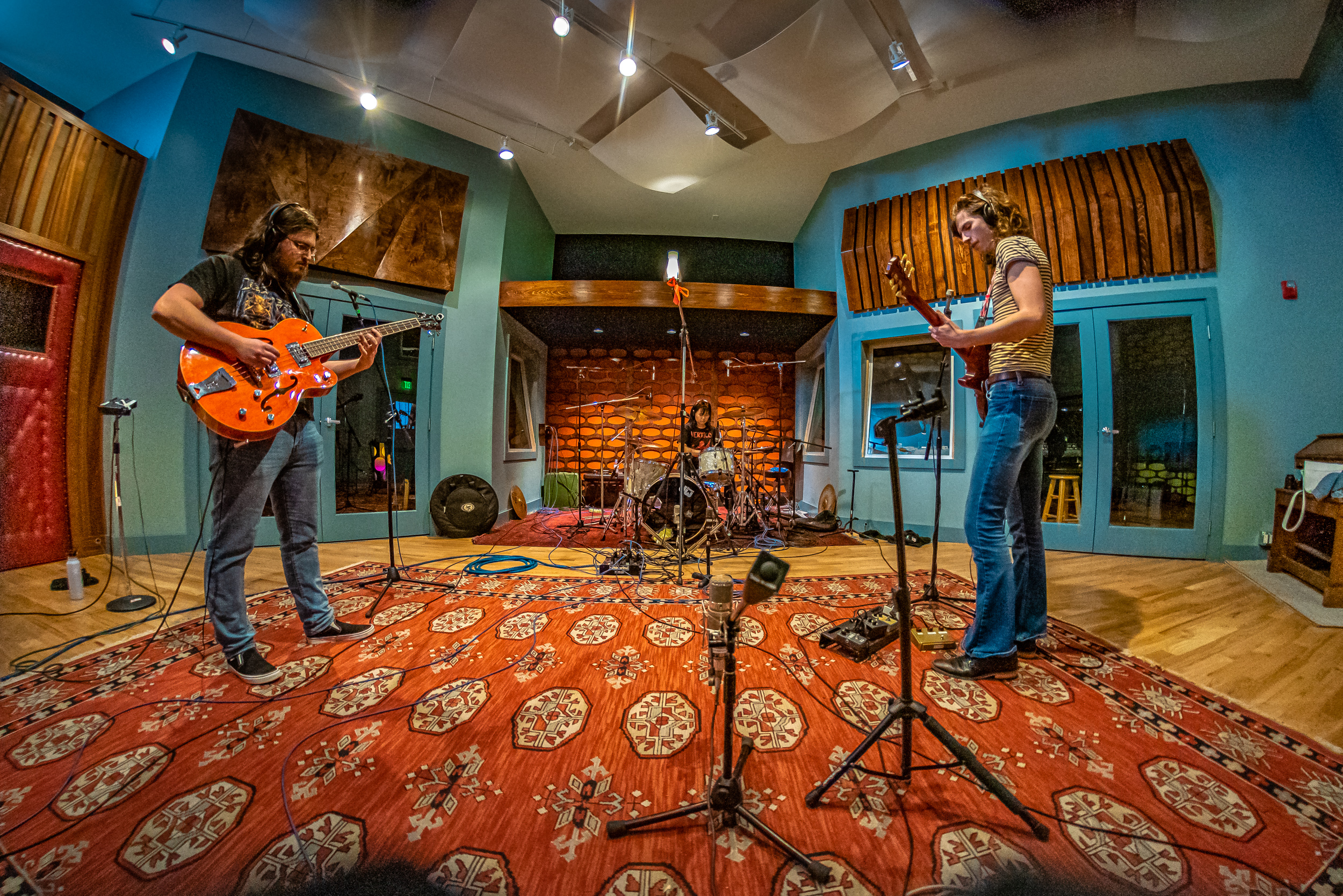
Drums in the big room, under the “inspiration” wall, where the close mics can sound relatively dry but big room sounds are just a few feet away on the studio floor.
Keys:
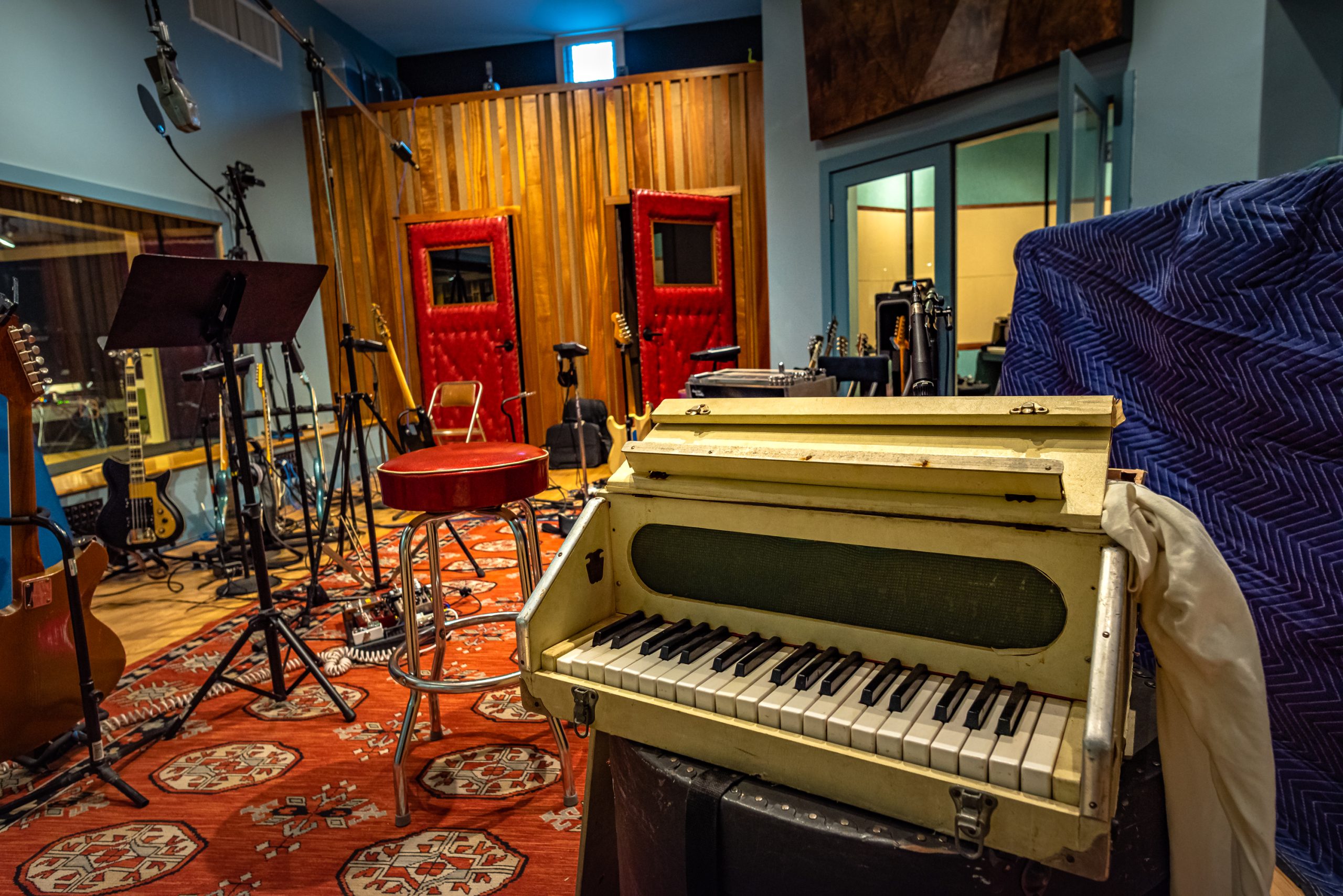
The “piano” room will be set up with the piano, but people can also cut vocals, acoustic guitar, or anything else in there, as space permits (I’m not sure how easy it will be to pull the piano out, so I’m suggesting it remain where it is). The Hammond will remain roughly where it is in the live room, and can be used through the Leslie, or into an amp or DI. Other keyboards/synths can be set up in the live room and used via DI or whatever amp. If space is tight keyboards (or other musicians) can also be in the control room. We will likely make the Chamberlain available, and the Mellotron is potentially available with a little planning.
BASS:
One “amp” iso room will have a bass rig (B15); optionally the SVT/Bassman with either the 8×10 cab or the Kustom cab can be substituted, but both rigs won’t fit in there at the same time.
Guitars:
The other iso room will likely have a deluxe, but can be substituted with any other amp of your choice.
The Drum room will have more guitar amps, but also space for “keeper” vocals (because isolation is great in there), and more options for acoustic instruments (guitar, mando, upright bass, whatever). I imagine this space as “lead guitar” world – you can use room mics for a bit of space, and/or two amps at the same time.
Vocals:
In the live room people can track scratch vocals (or keeper vocals), and whatever else makes sense.
In the drum room (assuming you’re not using it for loud guitars/keys); the U47/M49 can be set up for that
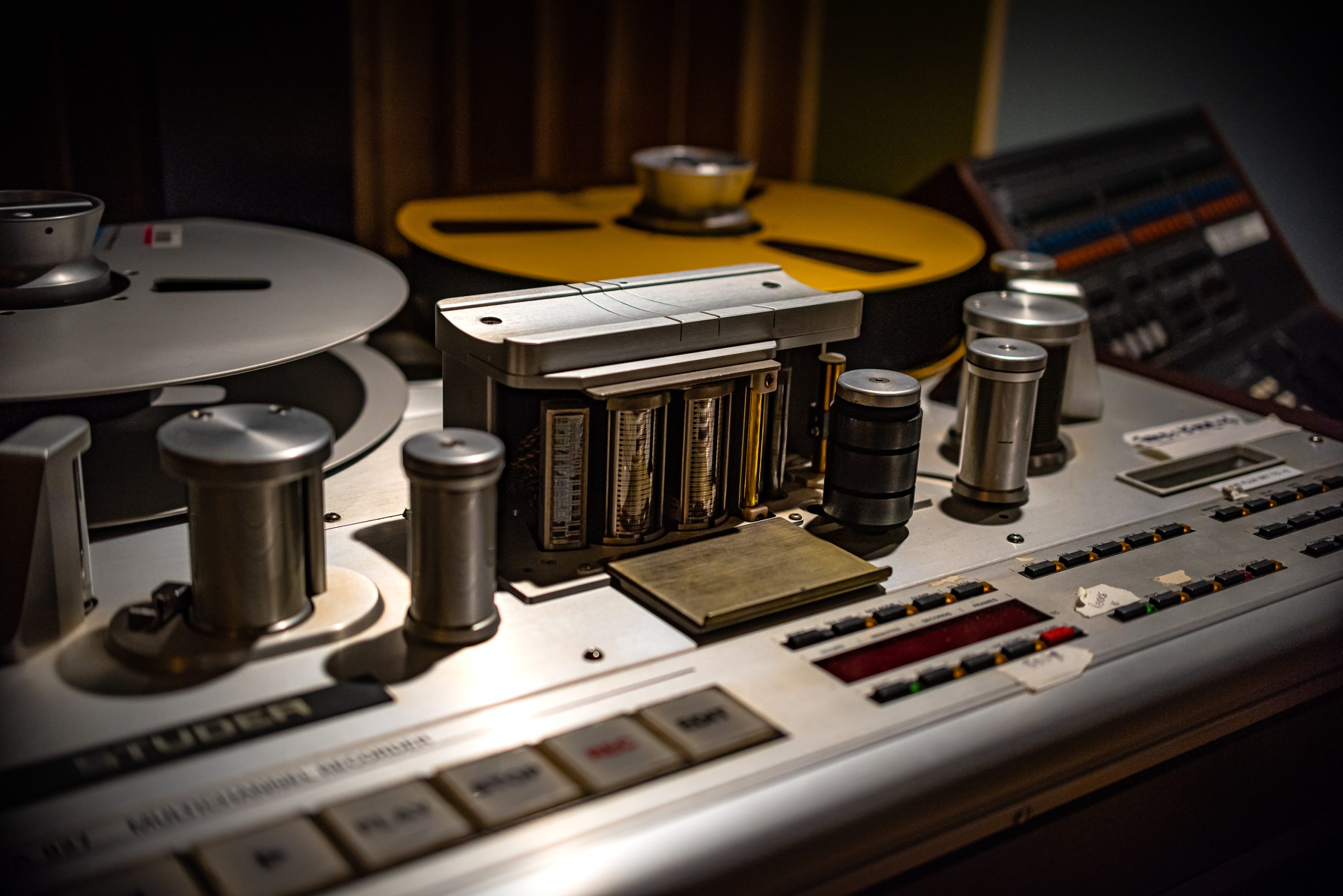
The Studer will have two tape calibrations set up: 15 IPS for over ~64 minutes of tape time (more hiss, slightly less high end, but also more low end), or 30 IPS for about ~33 minutes of tape time (less hiss, more high end, but also less low end).
The output of the tape machine will be patched into Pro Tools, for ease of headphone routing, and quick transferring. The tape is your canvas, but it is NOT where the takes will ultimately live – in other words, the keeper takes need to be dumped to pro tools, and the tape reused.
Potential workflows are these:
1 – Track takes to tape, come back into the control room, either dump the takes as you listen, choose a keeper, and move on to the next song (erasing the previous takes). You can also just listen, choose a keeper, dump that, and keep working. Dumping as you go saves some time, but if you want/need to fix the keeper take, those fixes SHOULD happen on tape BEFORE the take is transferred to pro tools (and erased).
2 – Track takes to tape – choose a keeper, overdub and fix that keeper performance, and once you’re happy, dump the take to pro tools, then work on another song.
3 – track to tape and keep working till you’ve filled the tape with takes, take a break, transfer (fix?) keeper takes, and then keep working.
Depending on what you’re hoping to capture during ATW, we can help you choose the best workflow for your session. For instance – if you’re hoping to capture one song (or however many) and get it/them as close to done as possible, then you’d stay on tape till the end of the session, and then dump the master take/s (a version of option 2)
If you’re hoping to capture JUST basics for a few songs, and overdub at another time, I’d use either option one or three above – depending on how many fixes you need to do, and how much momentum you’d like to maintain from one song to the next.
Suggested track layout on tape – this is of course flexible and merely a suggested layout
- Kick
- Snare
- Rack Tom
- Floor Tom
- OH L
- OH R
- Mono OH/Hat
- Crotch/fx drum
- Room L
- Room R
- Bass Amp
- Bass DI
- Guitar 1
- Guitar 2
- Guitar 3
- Piano/Leslie/Keys L
- Piano/Leslie/Keys R
- Piano/Leslie low
- Alt Keys L
- Alt Keys R
- Q Vox/Lead Vox
- Q Vox/Lead Vox
Because we’re setting everything up ahead of time, this is our possible starting point. Feel free to make any changes you’d like (engineers, please “zero” the system back to a point that makes sense for the next artist). Some of these inputs might not be on the Neve (choices: Nice Pair, Hardy, API, Focusrite):
- Kick in – DPA/DM6
- Kick out – Fet 47/
- Snare Top 57
- Snare Bottom 441
- Rack Tom 421/DM20/KM140
- Floor tom 421/DM20/KM140
- OH L U67 (extra XLR lines for other mics)
- OH R U67 (extra XLR lines for other mics)
- Mono oh COLES
- Crotch RCA Varacoustic
- ROOM L AKG 422/Earthworks QTC 40’s/Titans/RCA 44
- ROOM R AKG 422/Earthworks QTC 40’s/Titans/AEA 44
- Bass Amp U47/Fet 47/Re20/DPA/DM6
- Bass DI Demeter
- Deluxe 121
- Deluxe 57
- Guitar 2 121
- Guitar 2 57
- Guitar Room 414
- Guitar Room 414
- Piano L U67/414/KM84/
- Piano R U67/414/KM84/
- Piano Low Soundeluxe 195
- Leslie L ATM 25
- Leslie R ATM 25
- Leslie Low RE20/421
- Keys L Radial DI
- Keys R Radial DI
- Q Vox KSM9/ Beta58
- Q Vox sm58/441/SM7
- Keeper Vox U47/M49/U87/SM7
- Acoustic instrument inputs L KM140/Nude/other
- Acoustic instrument inputs R KM140/Nude/other

Headphones:
1-2 Drums
3 Bass
4 Guitar 1
5 Guitar 2
6 Keys
7 Q Vox
8 Click/TB/Other